
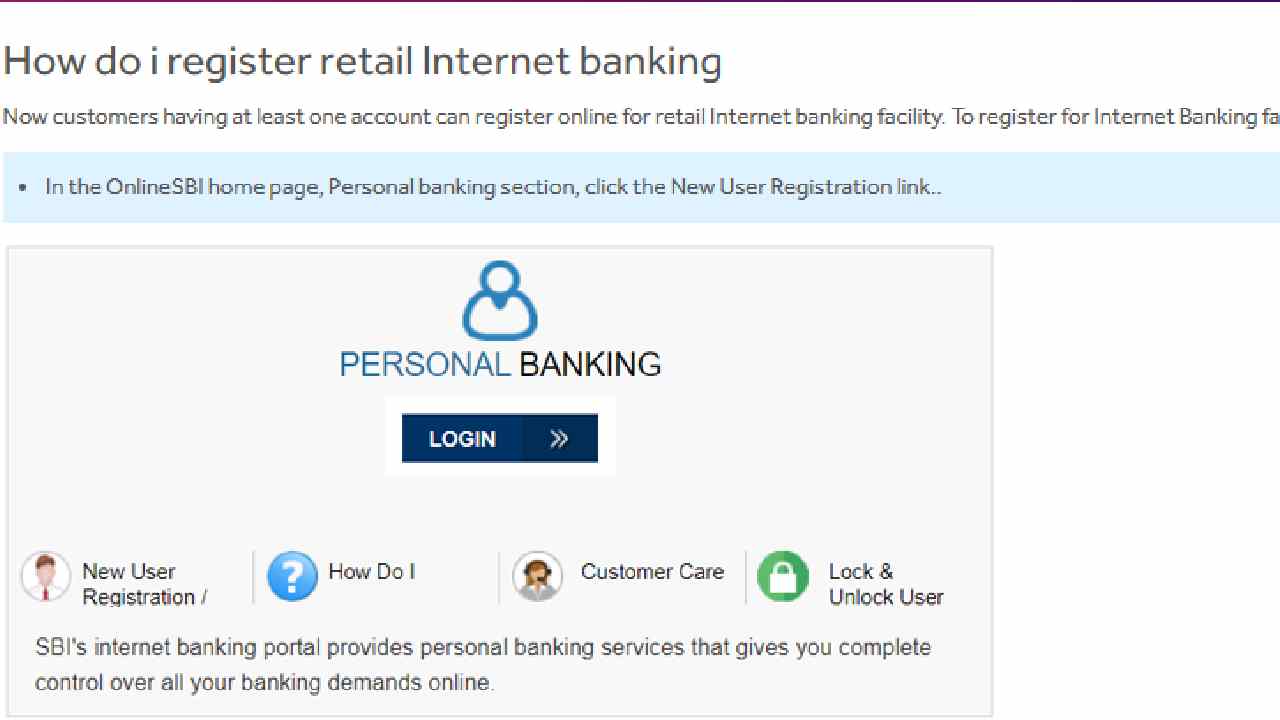
In today’s digital age, Internet Banking has become an essential service for managing money anytime, anywhere. If you are an SBI (State Bank of India) customer and want to activate SBI Internet Banking without visiting your branch, you can easily do it online using your ATM card.
This guide will help you step by step to register for SBI Net Banking online in a simple way.
Who Can Register for SBI Internet Banking Online?
- Any SBI customer having a savings or current account.
- You must have your ATM/Debit Card linked to your account.
- Your mobile number must be registered with the bank.
- You should have account details like Account Number, CIF Number, and Branch Code (all mentioned in your passbook).
If you do not have an ATM card, you cannot complete online registration. In that case, you will need to visit your home branch.
Step-by-Step Process to Register for SBI Internet Banking Online
1. Visit the Official SBI Website
2. Select New User Registration
- On the login page, click “New User Registration/Activate”.
- A message will appear if your branch has given you a Pre-Printed Kit (PPK). In that case, use the PPK credentials. Otherwise, continue with the New Registration option.
3. Enter Account Details
You will now see a registration form. Fill in the following details carefully:
- Account Number (as per passbook)
- CIF Number (available in passbook/account statement)
- Branch Code (you can also search it online through SBI site)
- Country
- Registered Mobile Number
- Select Internet Banking Facility: Full Transaction Rights / Limited Transaction Rights / View Rights
- Enter the Captcha code and click Submit
4. Verify OTP
- You will receive a One Time Password (OTP) on your registered mobile number.
- Enter the OTP and click Confirm.
5. Select ATM Card Option
- Choose “I Have My ATM Card” and click Submit.
- If you don’t have an ATM card, your Internet Banking will only be activated by visiting the branch.
6. Validate ATM Card Credentials
- Enter your ATM/Debit Card number, Expiry Date, and PIN as required.
- Click Proceed.
7. Create Username & Passwords
- A temporary username will be displayed.
- Now set your permanent username of choice.
- Create a strong Login Password:
- At least 8 characters
- Combination of uppercase, lowercase, numbers, and special characters
- At least 8 characters
- Confirm the password by re-entering it.
- Create a Profile Password (used for security verification).
- Select a hint question and answer it.
- Enter your Date of Birth, Place of Birth, and Registered Mobile Number.
8. Complete Registration
- Click Submit after entering all details.
- A confirmation message will appear on the screen.
- Your Internet Banking registration is now successful. 🎉
Important Things to Remember
- Always keep your ATM card and registered mobile number handy before starting registration.
- Your profile password must be different from your login password.
- The first time you log in, you can change your temporary username to your preferred one.
- After registration, you will get View Rights by default. You can later upgrade to Transaction Rights from the Request & Enquiries tab.
- If you don’t have an ATM card, download the form shown at the end of the registration process and submit it to your branch.
Benefits of SBI Internet Banking
- Check account balance anytime
- Transfer money instantly through NEFT/RTGS/IMPS
- Pay utility bills, recharge mobiles, and book tickets
- Download account statements
- Manage multiple accounts in one place
Final Words
Registering for SBI Internet Banking online is simple and quick if you have your ATM card and registered mobile number. Just follow the step-by-step process on the official SBI website, and you can enjoy safe and secure online banking without visiting your branch.
So, activate your SBI Net Banking today and take control of your finances from the comfort of your home.