
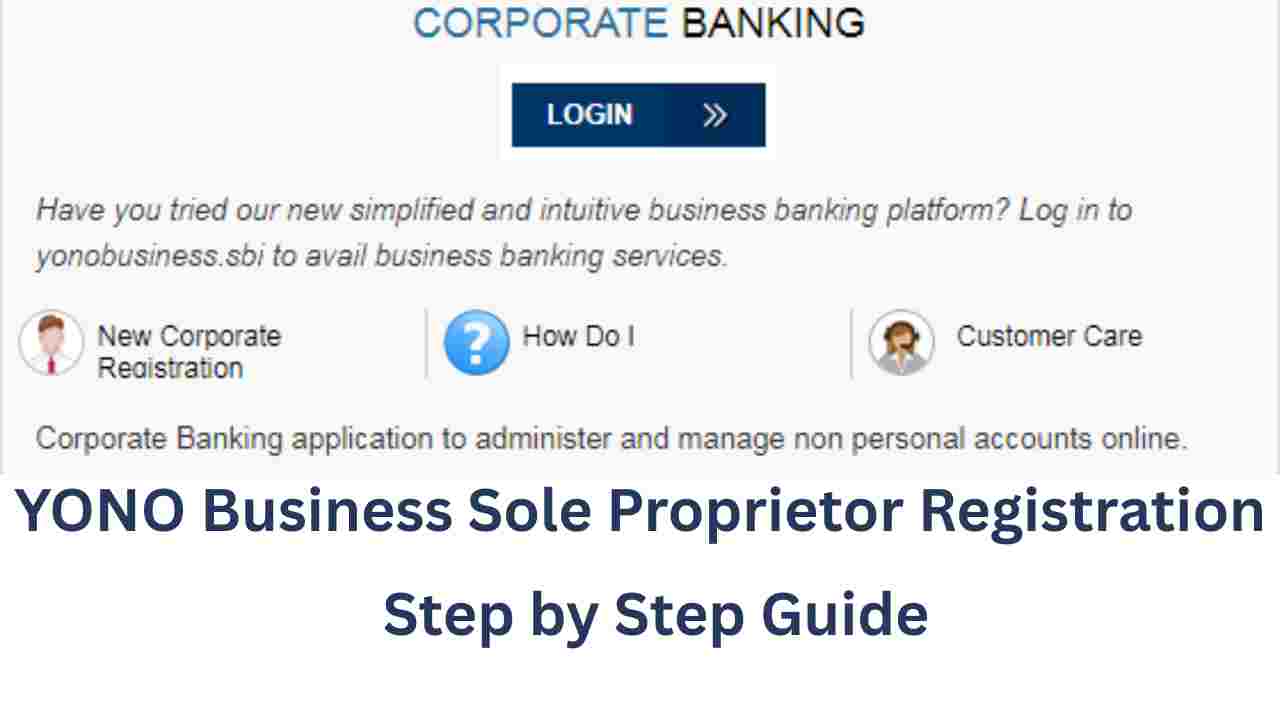
If you run your business as a sole proprietor, SBI’s YONO Business platform is a great way to manage your banking online. With this facility, you can check balances, transfer funds, make tax payments, and much more—all in one place. The best part is that you can complete the registration online without much hassle.
In this guide, we’ll explain the step-by-step process of registering for YONO Business under the Single User category in simple language.
Benefits of Single User Registration
- Ideal for one-person businesses (Sole Proprietors).
- Option to choose between:
- Enquiry Only (view details, no transactions).
- Enquiry + Transaction (view and make transactions).
- Enquiry Only (view details, no transactions).
- Easy activation through SBI Corporate Debit Card or by visiting your SBI branch.
Transaction Limits for Single User
Here are the daily transaction limits available under the Single User setup:
- Fund Transfer (own accounts, same SBI branch): ₹2 Crore
- Fund Transfer (other SBI accounts): ₹10 Lakhs (combined)
- Fund Transfer (other banks via NEFT/RTGS): Included in daily limit
- Merchant payments, Draft issue, Bill payments: ₹5 Lakhs (combined)
- Tax Payments (Central/State Govt.): ₹2 Crore
- Registered suppliers: ₹25 Lakhs
- State Bank Collect payments: ₹10 Lakhs
- e-Auctions of Govt. departments: ₹1 Crore
Step-by-Step Registration Process
Step 1: Visit SBI Online Portal
- Go to 👉 www.onlinesbi.sbi in your browser.
- Click on New Corporate Registration → Apply Now.
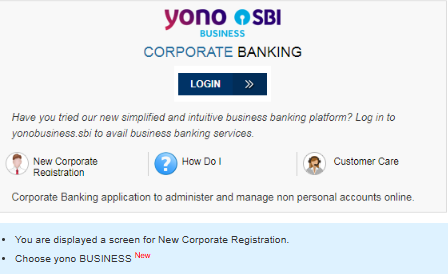
Step 2: Select YONO Business New
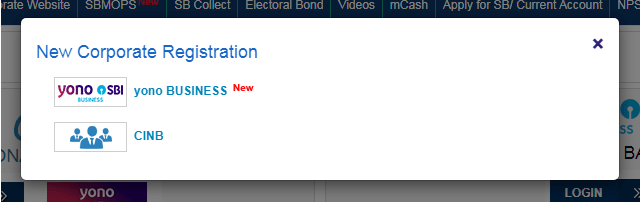
- Choose YONO Business (New).
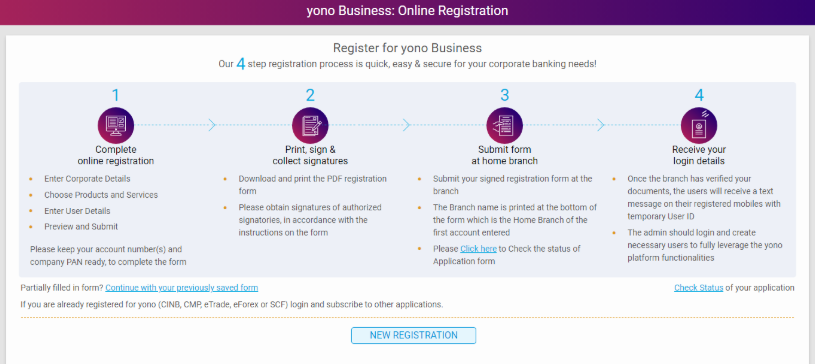
- Click on New Registration.
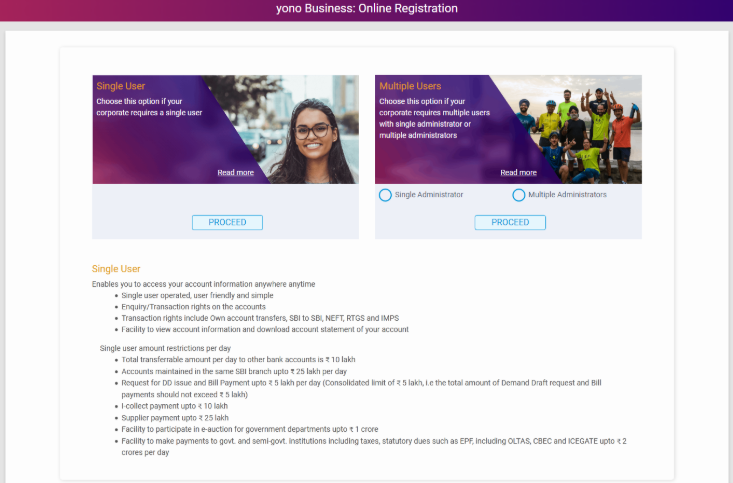
- Select Single User and then click Proceed.
Step 3: Enter Account Details
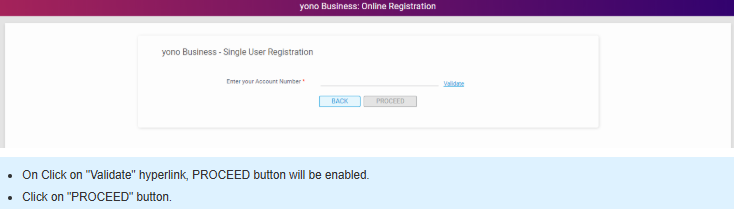
- Enter your account number → Click Validate.
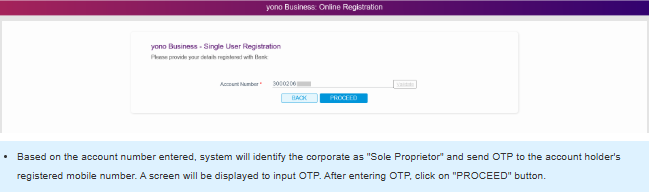
- An OTP will be sent to your registered mobile. Enter it and click Proceed.
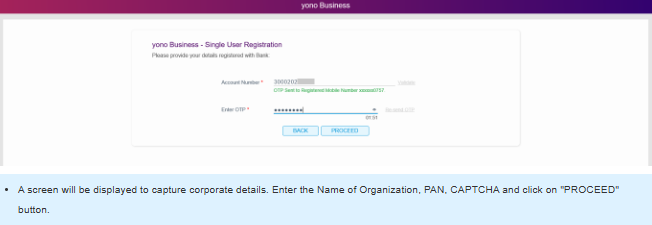
Step 4: Fill Corporate Details
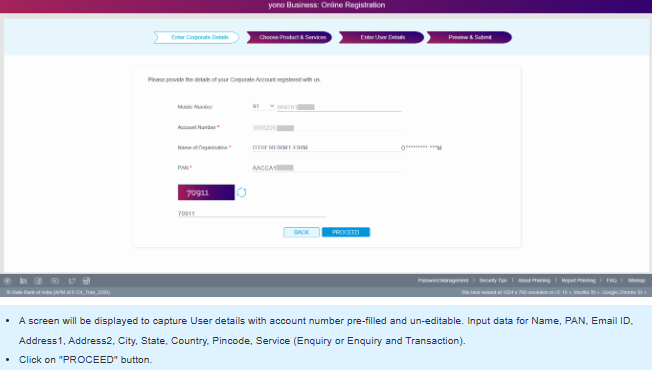
- Enter:
- Organization Name
- PAN
- CAPTCHA code
- Organization Name
- Click Proceed.
Step 5: Fill User Details
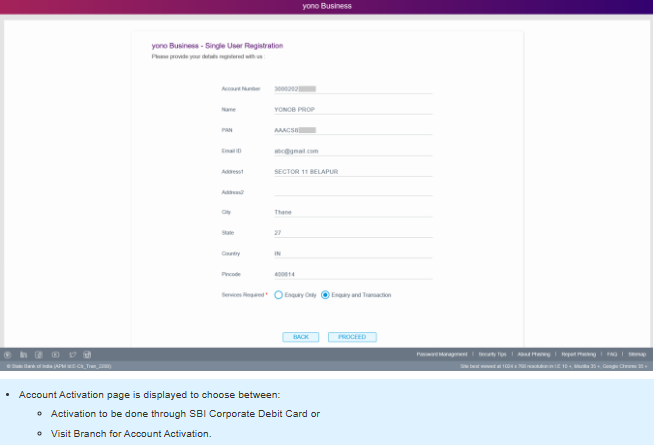
- Account number will be pre-filled.
- Enter your details (Name, PAN, Email, Address, City, State, Country, Pincode).
- Choose service type: Enquiry Only or Enquiry + Transaction.
- Click Proceed.
Account Activation Options
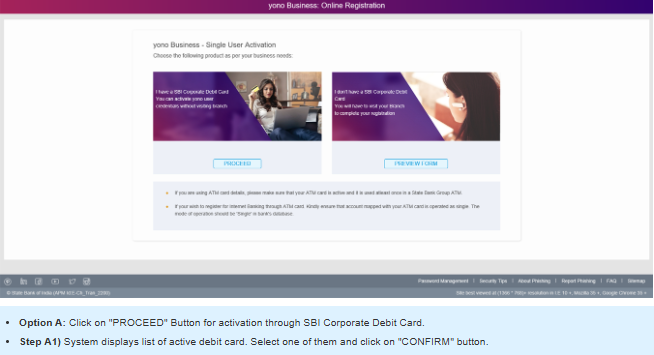
Option A: Activate via SBI Corporate Debit Card
- Choose Debit Card Activation.
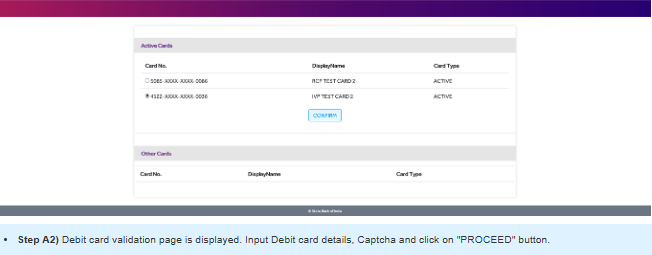
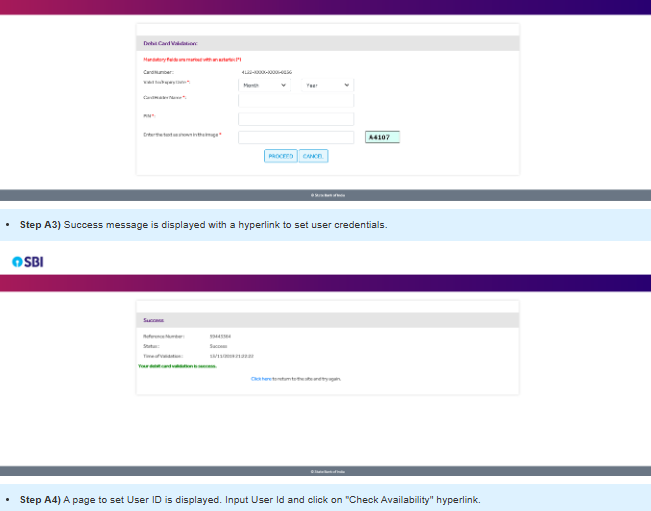
- Select your active debit card → Enter card details + captcha.
- Success message appears → Click link to set credentials.
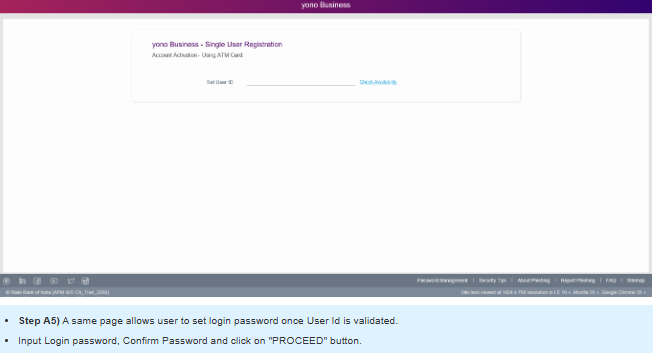
- Create User ID (check availability).
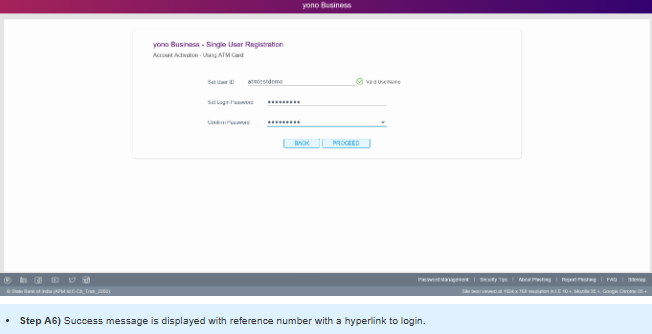
- Set Login Password and confirm.
- Success message with reference number → Login to YONO Business.
Option B: Activate via Branch Visit
- Preview all your details.
- Accept Terms & Conditions → Click Submit.
- Download/Print the Omnibus Document.
- Submit it to your SBI branch.
- After branch verification, your account will be activated.
Final Words
That’s it! You are now ready to use YONO Business as a Sole Proprietor (Single User). With this facility, you can easily manage your fund transfers, bill payments, tax payments, and supplier transactions without needing to visit the branch frequently.